

Learning professional design software can open new doors for creative people. Whether you want to edit photos, design logos, create videos, or build page layouts, Adobe offers tools for many creative tasks. Adobe Creative Cloud courses can help beginners and experienced users understand these applications and use them more effectively.
With the right training, you can improve your skills, work faster, and create professional-quality projects. Here is a look at the main Adobe applications, their uses, and the benefits of learning them.
Explore Popular Adobe Creative Cloud Courses
Adobe offers several applications for graphic design, photography, video editing, animation, and digital publishing. Choosing the right course depends on your interests and career goals.
Adobe Photoshop: Photo Editing and Digital Art
Photoshop is widely used for photo editing, image retouching, and graphic design. A Photoshop course can teach you how to remove unwanted objects, correct colours, improve portraits, and create eye-catching posters.
Advanced lessons may cover layers, Smart Objects, Camera Raw, automation, and image sharpening. These skills can help you complete projects more efficiently and produce better results.
Adobe Illustrator: Logos and Vector Graphics
Illustrator is useful for creating logos, icons, illustrations, and other vector designs. Vector graphics can be resized without losing image quality, making them suitable for websites, packaging, and printed materials.
An Illustrator course helps learners understand drawing tools, shapes, typography, and colour. It is a practical choice for people interested in graphic design and digital illustration.
Adobe InDesign: Print and Digital Layouts
InDesign is designed for page layout and publishing. It helps users create books, brochures, magazines, reports, and digital publications.
Training usually covers document setup, text formatting, image placement, and preparing files for printing. It is especially helpful for designers who work with long documents or publication layouts.
Compare Adobe Applications and Their Uses
| Adobe application | Main purpose | Suitable for |
|---|---|---|
| Photoshop | Photo editing and image design | Photographers and graphic designers |
| Illustrator | Vector graphics and logos | Illustrators and brand designers |
| InDesign | Page layout and publishing | Publishers and layout designers |
| After Effects | Animation and visual effects | Motion designers and animators |
| Premiere Pro | Video editing | Video editors and content creators |
| Acrobat Pro | PDF editing and document management | Students and professionals |
Adobe After Effects and Premiere Pro for Video Creators
After Effects helps users create motion graphics, animated titles, and visual effects. Premiere Pro focuses on video editing, allowing creators to arrange clips, improve audio, add transitions, and produce polished videos.
Together, these applications are useful for film projects, advertisements, social media videos, and online content. Structured training can help beginners move from basic editing to more advanced production techniques.
Benefits of Learning Adobe Applications
Improve Your Career Opportunities
Knowledge of Adobe software can be valuable in graphic design, marketing, photography, publishing, and video production. Building practical skills and a strong portfolio can help you demonstrate your abilities to potential employers and clients.
Work Better with Teams
Adobe Creative Cloud supports cloud-based file sharing and review workflows. These features can help creative teams exchange feedback, manage revisions, and work together more efficiently.
Learn at Your Own Pace
Learners can use official Adobe tutorials, online lessons, and structured training courses. Beginners can start with basic tools before moving to advanced techniques. Regular practice is important because applying what you learn helps turn software knowledge into real skills.
Final Thoughts
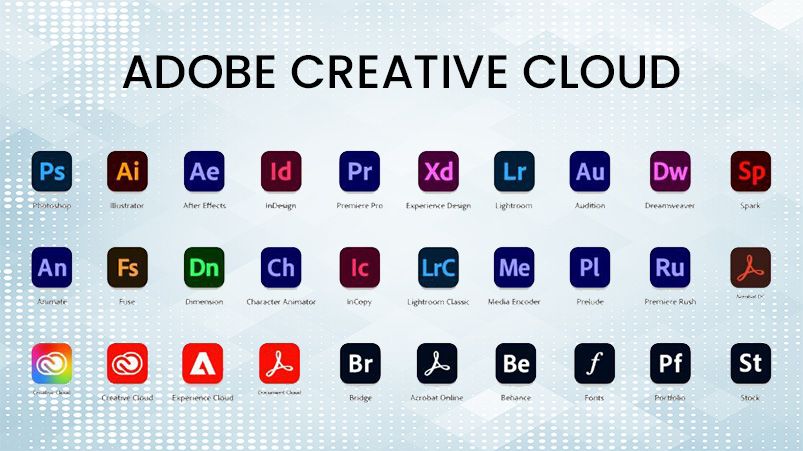
Adobe Creative Cloud courses provide a useful starting point for anyone interested in digital creativity. From Photoshop and Illustrator to After Effects and Premiere Pro, each application serves a different purpose. Choose a course that matches your goals, practise with real projects, and build a portfolio that shows your progress. These steps can help you develop stronger creative skills and prepare for new professional opportunities.