

When Apple introduced Liquid Glass with iOS 26, the goal was clear: give the iPhone a fresh, modern look. Semi-transparent buttons, notifications, and sliders were designed to feel light and futuristic. However, not everyone enjoyed the change. Many users found the new design harder to read, especially on the Lock Screen where quick clarity matters most.
With iOS 26.2, Apple addresses those concerns in a simple and practical way. Instead of removing Liquid Glass, the update gives users more control over how it looks and feels during everyday use.
A Clearer Lock Screen Experience
The biggest improvement in iOS 26.2 is a new setting that lets users reduce the transparency of the Lock Screen clock. This makes the time easier to read against colorful or detailed wallpapers. Users who prefer a solid look can now tone down the glass effect without changing the rest of the interface.
This builds on the update introduced in iOS 26.1, where Apple added a system-wide slider to control Liquid Glass opacity. With iOS 26.2, Apple takes things a step further by allowing adjustments in specific areas. The Lock Screen, being one of the most viewed parts of the iPhone, benefits greatly from this focused change.
How Apple Has Adjusted Liquid Glass
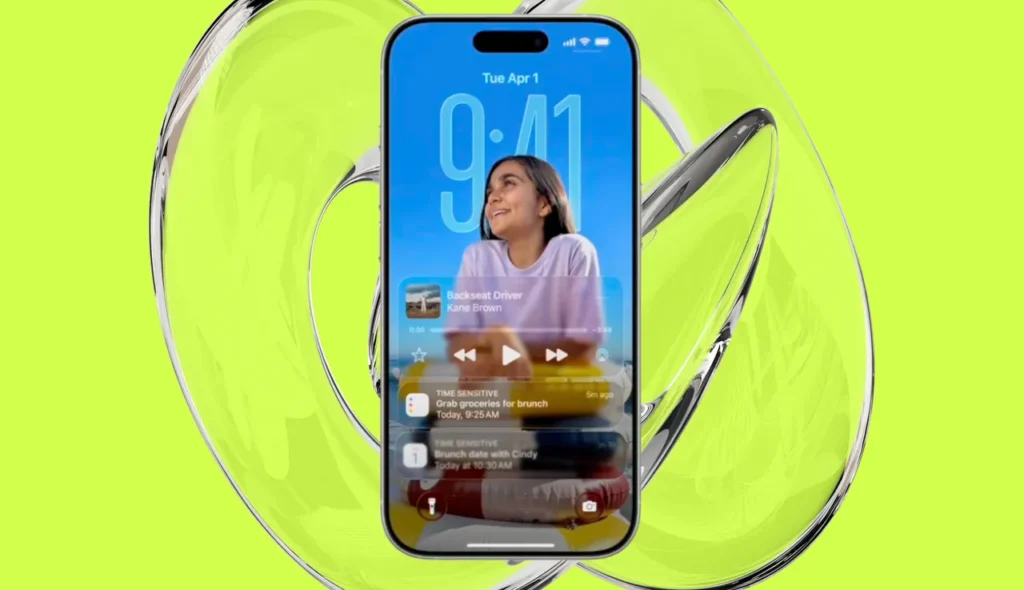
Apple’s design approach has clearly evolved based on user feedback. The changes across recent updates show a shift toward flexibility and comfort.
| iOS Version | Liquid Glass Control | User Experience |
|---|---|---|
| iOS 26 | Full transparent design | Stylish but difficult to read |
| iOS 26.1 | System-wide opacity control | Improved readability |
| iOS 26.2 | Lock Screen clock adjustment | Clear and customizable |
These refinements suggest Apple is paying close attention to how people interact with their devices every day.
Other Useful Features in iOS 26.2
Beyond the Liquid Glass fix, iOS 26.2 brings several useful features across popular apps. AirDrop now allows users to create temporary sharing codes, making it easier to share files with people who are not saved in contacts. This is especially helpful in work or group situations.
The Reminders app now supports alarms, helping users stay on schedule. Apple News introduces a new Following tab for smoother navigation. Apple Music adds offline lyrics, while the Podcasts app includes AI-generated chapters and smarter ways to link episodes and shows.
Apple Watch users also receive a new Sleep Score, offering a clearer picture of how well sleep goals are being met.
Security Updates You Should Not Ignore
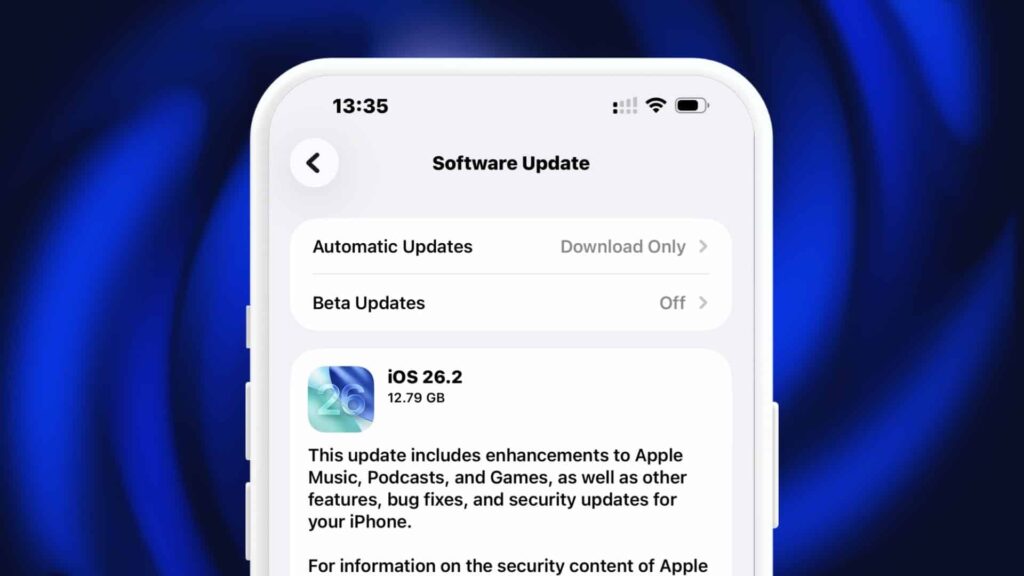
Apple has also released important security updates alongside iOS 26.2. These updates apply across iPhones, iPads, Macs, Apple TVs, and Apple Watches. They fix vulnerabilities that were actively being exploited, making this update essential for keeping devices secure.
You can explore more details in our related guides on iOS updates and Apple software improvements.
Final Thoughts
If Liquid Glass felt like a step too far, iOS 26.2 offers a simple fix. By letting users reduce transparency on the Lock Screen, Apple improves readability without giving up its modern design. The update strikes a better balance between style and usability, making everyday iPhone use more comfortable and enjoyable.