

Project management becomes easier when teams have the right tools to organize tasks and track progress. monday.com is one of the most popular project management platforms that helps teams plan work, manage deadlines, and collaborate in one place. Its simple design and flexible features make it ideal for beginners who want to improve productivity without learning complex systems.
From small startups to large organizations, many teams use monday.com project management tools to stay organized and work more efficiently.
What Is monday.com Project Management?
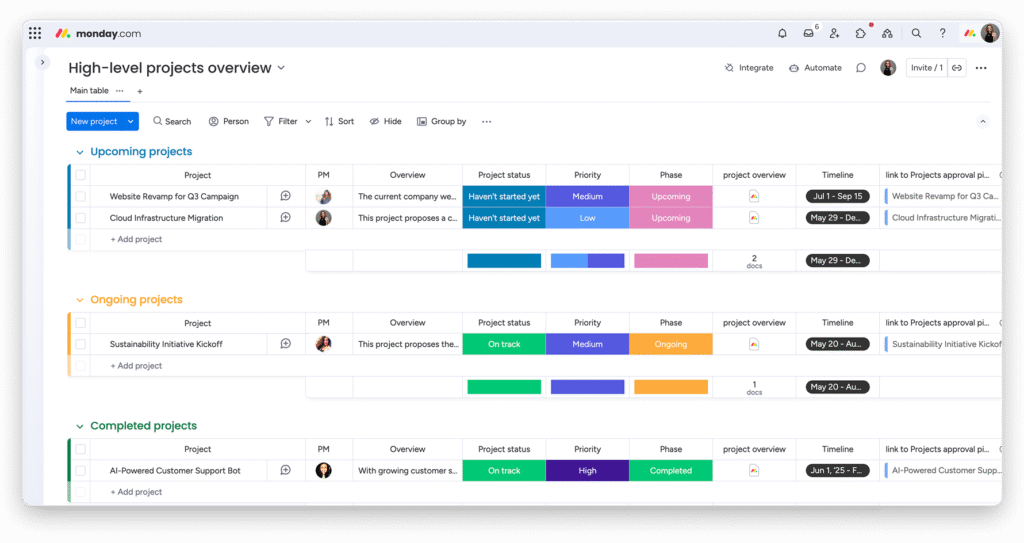
monday.com is a cloud-based work management platform that allows teams to create project boards, assign tasks, and monitor progress visually. Each project is organized into boards and columns where users can add task details, deadlines, priorities, and team members.
The platform offers different views such as timeline, calendar, and Kanban. These views help teams understand project status quickly and avoid delays. Because of its easy interface, beginners can start managing projects without technical experience.
Another helpful feature is real-time updates. When a task changes, everyone on the team can instantly see the update.
Key Features Beginners Should Know
monday.com provides several beginner-friendly features that make project management simple:
- Visual Boards: Track tasks using status labels and progress columns.
- Task Assignment: Assign responsibilities clearly to team members.
- Automation: Automate reminders and updates to save time.
- File Sharing: Upload and manage documents within tasks.
- Custom Dashboards: Monitor project performance in one screen.
These features help teams stay organized while reducing manual work.
monday.com vs Other Project Management Tools
Beginners often compare different tools before choosing the right platform. Below is a quick comparison:
| Feature | monday.com | Trello | Asana |
|---|---|---|---|
| Ease of Use | Very Easy | Easy | Moderate |
| Automation | Advanced | Basic | Advanced |
| Customization | High | Limited | High |
| Visual Tracking | Strong | Basic | Strong |
| Best For | Beginners to advanced teams | Small teams | Growing teams |
This comparison shows that monday.com offers a balance between simplicity and powerful functionality, making it a great starting point for beginners.
Benefits of Using monday.com for Beginners
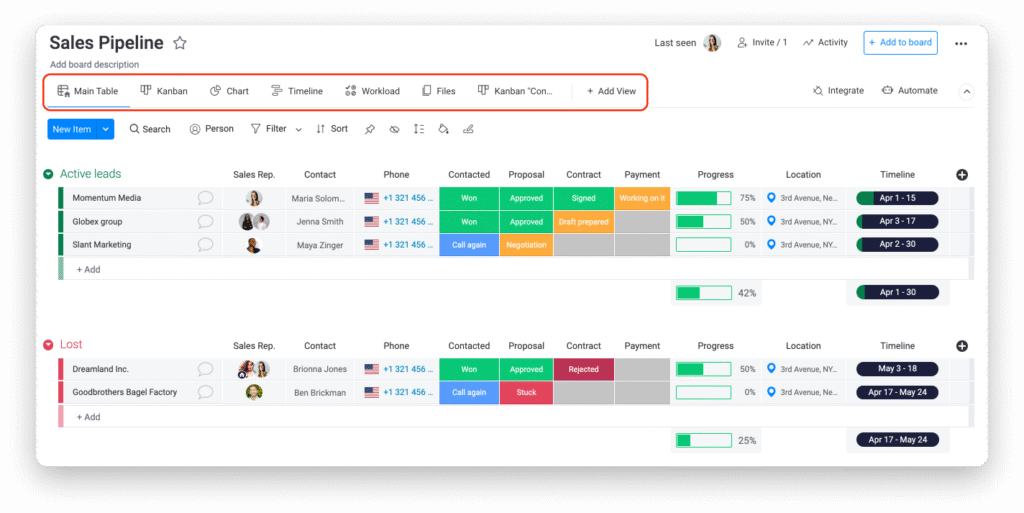
One major advantage of monday.com project management is clarity. Beginners can easily see what tasks are pending, who is responsible, and when deadlines are approaching. This reduces confusion and improves workflow structure.
Automation also saves time by handling repetitive actions such as status updates and notifications. Teams can focus more on important work instead of manual tracking.
If you are new to workflow organization, you can also explore our task planning guide and team collaboration tips to build stronger project management habits.
Final Thoughts
monday.com project management is a beginner-friendly solution for teams looking to organize work and improve productivity. Its visual dashboards, automation tools, and flexible workflows make project tracking simple and effective.
For anyone starting their project management journey, monday.com provides the right balance of ease, customization, and performance to manage tasks with confidence.